


M.2 SATA and M.2 NVMe are one of the most confusing pairs in storage because they can look almost identical from the outside. Same slim module. Same M.2 shape in many cases. Very different storage path. That is why buyers sometimes install the wrong drive and only realize the problem when the system does not detect it or performs very differently than expected.
The key point is simple. M.2 describes the form factor. SATA and NVMe describe how the drive communicates. If you want the broader hardware background first, our articles on SSD form factors and NVMe vs AHCI explain why the shape and the protocol should never be confused.
Key Takeaways
- M.2 SATA and M.2 NVMe may share the same physical style but use different storage interfaces.
- NVMe is usually much faster because it uses PCIe instead of the SATA path.
- Not every M.2 slot supports both types, so compatibility matters as much as performance.
- The best choice depends on platform support, workload, cost, and thermal limits.
Why the Naming Confuses So Many Buyers
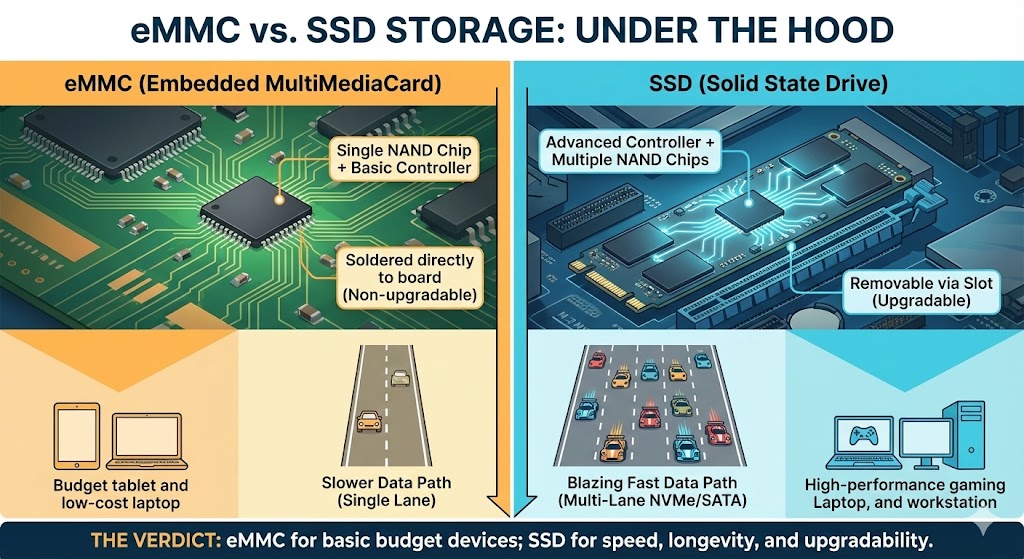
M.2 is just the physical format. It does not guarantee a certain speed or protocol. A drive can be M.2 and still run through SATA, or it can be M.2 and use NVMe over PCIe. That is why looking only at the size or connector shape is not enough.
What M.2 SATA Means
An M.2 SATA SSD uses the SATA storage path in a smaller card-like form. It can be a great fit for compact systems, older platforms with M.2 SATA support, or business devices where compatibility and cost matter more than chasing top-end speed. A practical example is the M.2 SATA 2280 SSD.
What M.2 NVMe Means
An M.2 NVMe SSD uses PCIe lanes and the NVMe protocol. That gives it more bandwidth and lower overhead, especially in heavier multitasking or file-intensive workloads. This is why modern laptops, creator systems, and faster desktops often prefer an M.2 NVMe SSD.
Why Slot Compatibility Matters
Some motherboards and laptops support both M.2 SATA and M.2 NVMe in the same slot. Some support only one. This is the part that causes real trouble. A drive that fits physically may still be unsupported electrically. Always check the actual slot specification before ordering parts.
Where M.2 SATA Still Makes Sense
- older systems with M.2 SATA-only support
- cost-sensitive business devices
- compact hardware where moderate performance is enough
Where M.2 NVMe Makes More Sense
- modern laptops and desktops
- workstations and creator systems
- heavier multitasking or file-intensive workflows
When Buyers Get It Wrong
The usual mistake is assuming “M.2” is the whole answer. It is not. The slot may be M.2 and still not support the protocol you bought. That is why a cheap mismatch can waste more time than a slightly more careful purchase at the start.
Business and Embedded Perspective
For business and embedded systems, the right choice is often driven by platform support, service life, and thermal behavior rather than benchmark headlines. A validated commercial SSD or industrial M.2 SSD may be the better answer than a faster consumer module if deployment stability matters more than raw speed.
Bottom Line
M.2 SATA and M.2 NVMe are not interchangeable just because they look similar. One uses SATA. One uses PCIe and NVMe. Check the slot. Check the workload. Then buy the drive that actually matches the system instead of the drive that only matches the shape.
If you need help choosing the right M.2 SSD for business, laptop, or embedded hardware, contact Qootec. We can help match interface, form factor, and deployment needs before parts are locked in.